 |
The Game | Star Fleet | Other | Forum |
« Cool Stuff / Toughpad FZ-M1
Background
After Windows Mobile went unsupported, I went back briefly to Android, which I found to be not a very enjoyable experience.
After that, I dabbled with Sailfish OS, running on an Xperia 10 III, but it there were too many issues there and too few answers.
So, I went back to Windows Mobile on my Lumia 950, and it is a great escapism phone.
The mail client still works fine and the camera is really excellent.
That being said, for long trips, it's nice to have a full Windows machine with a proper web browser.
I used to have a Lenovo Flex 10, which was a tiny 10" laptop, which was great for DOS games but it was very slow: even after I replaced the hard disk with an SSD, mainly thanks to the Celeron CPU.
Device Overview
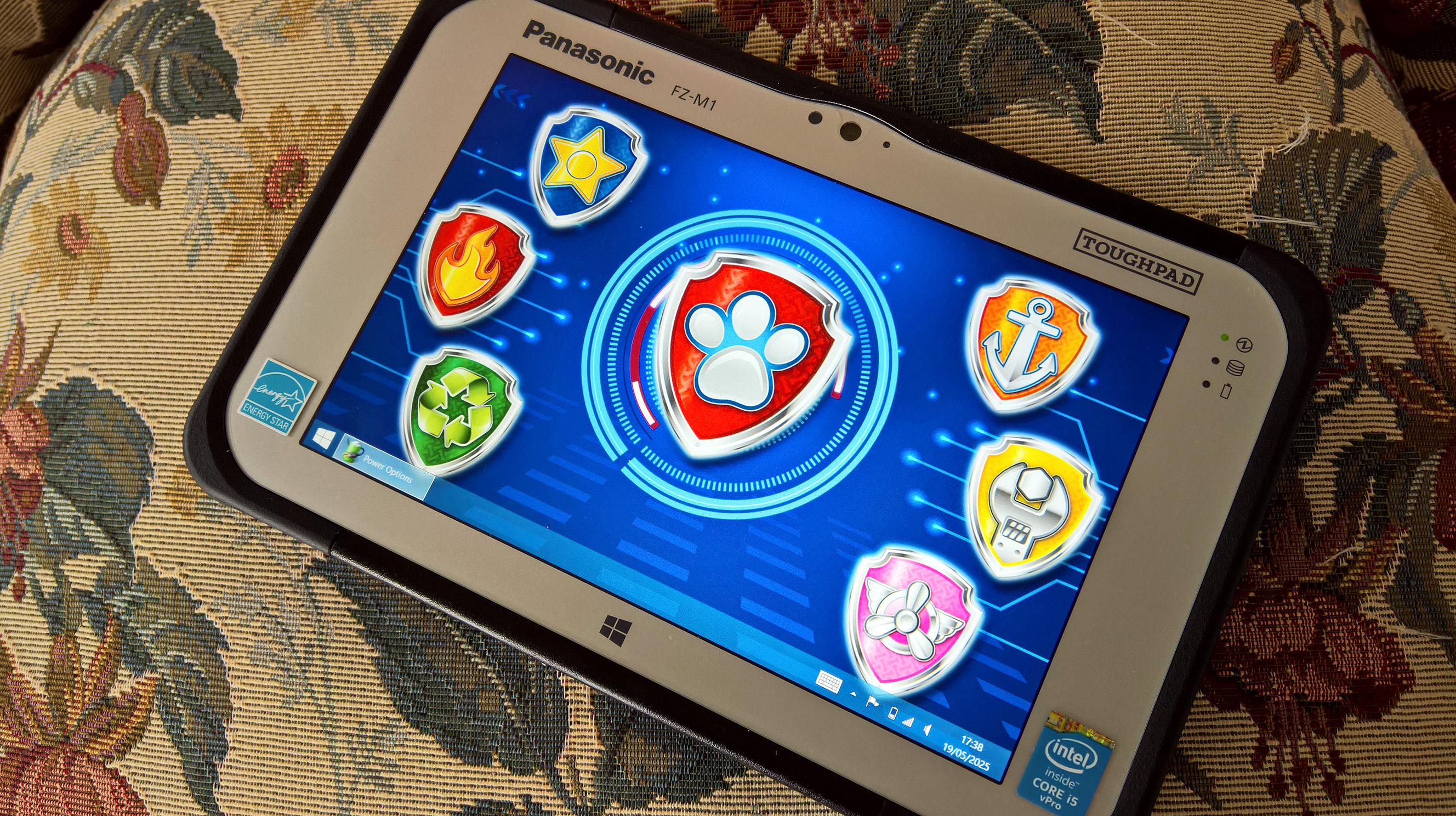
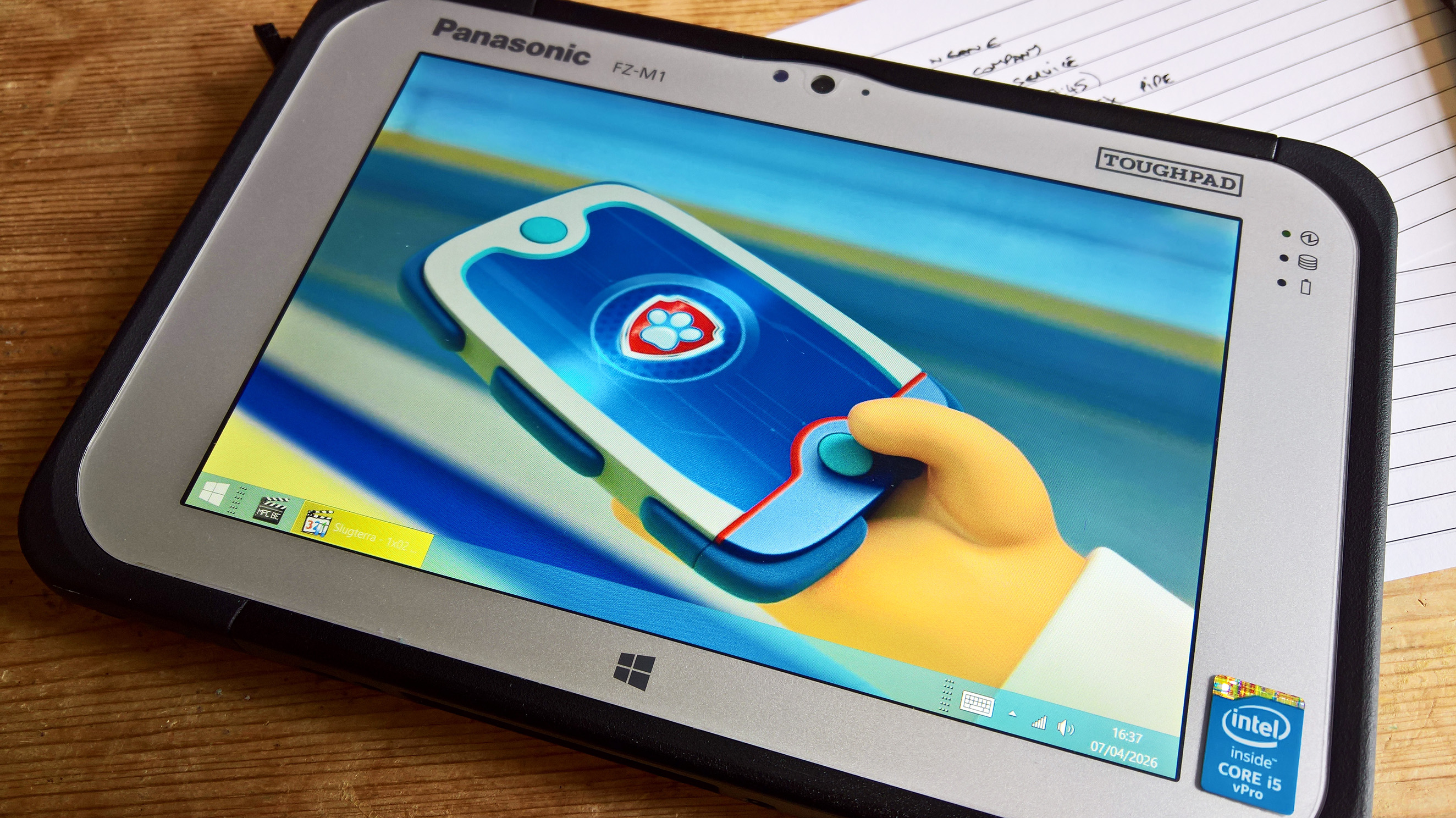
The Toughpad FZ-M1 from Panasonic is (or was) a rugged Windows tablet with a 7" display that was meant for field use in industry.
It was made between 2014 and about 2020.
Panasonic made a x86 Windows device: small and tough enough that that could go practically anywhere, until it presumably decided that the market would just have to put up with using android.

It has an interesting range of optional modules, including barcode scanners for warehouse use, 3D and infrared cameras for surveys, or an RJ45 port for diagnostics.
The expansion modules contained a bridge battery to allow you to hot-swap the main battery without even shutting down Windows.
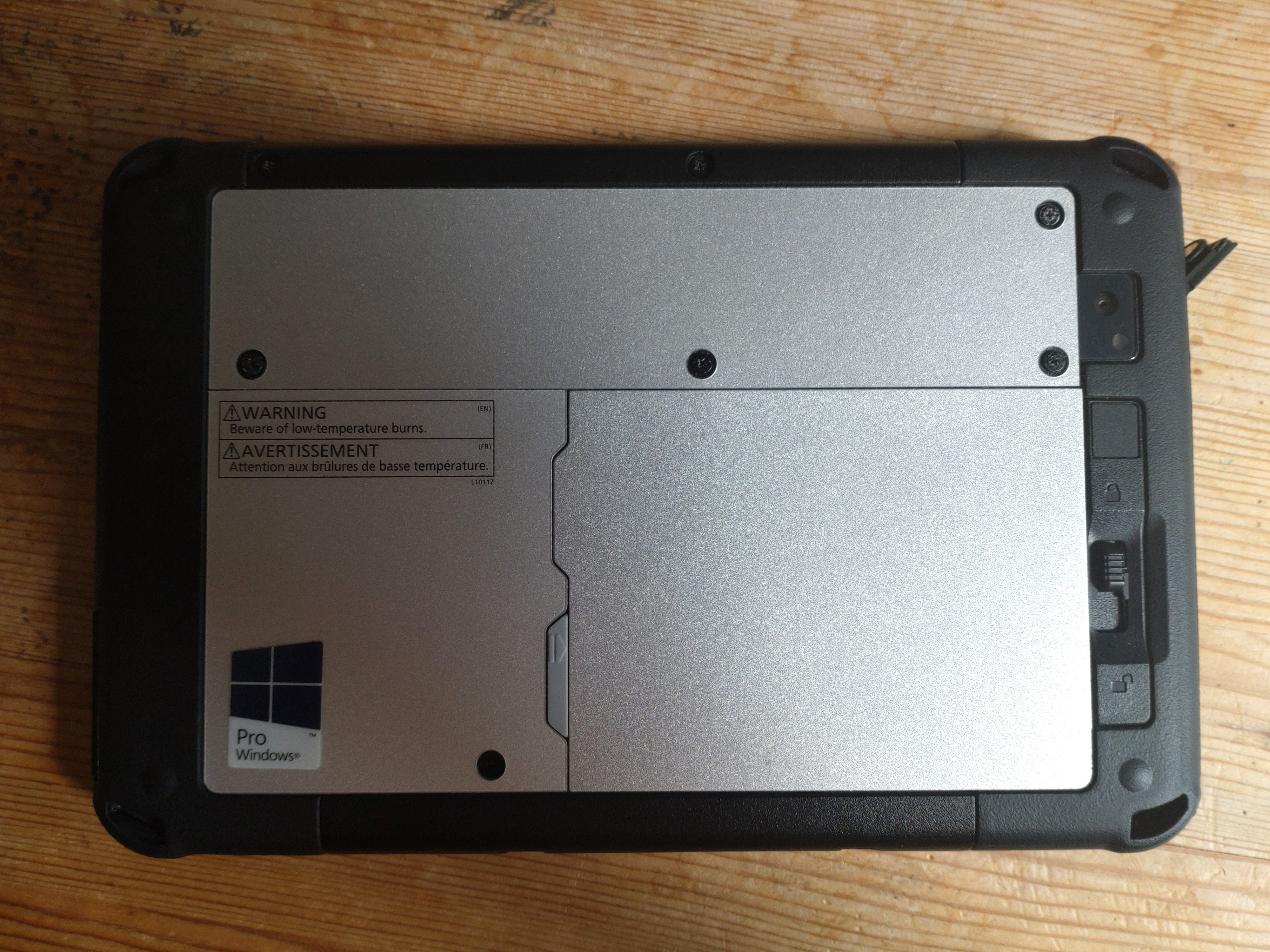
These modules stand out about half-an-inch or so from the back of the toughpad, so for consumer use, it's good to find one without one of these installed.
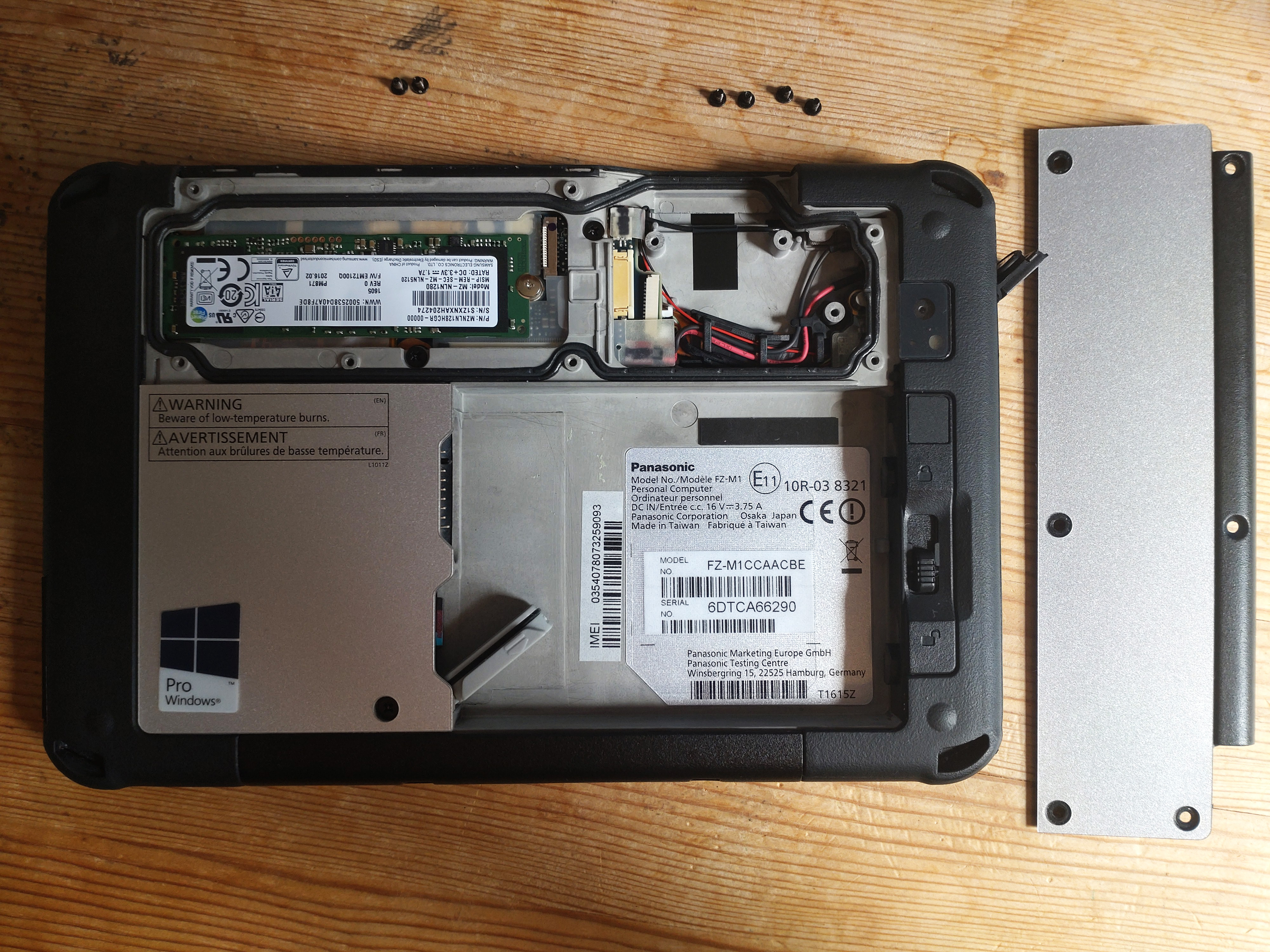
They can be removed but you would want to find the screw-on plate that covers for the bay that houses the m2 drive and the expansion module connector.

The battery is user-replaceable, via a release catch on the back.
It has a slot for a micro-SD card slot and a slot for a nano-SIM that is used for 4G cellular data access.
Both of these are hidden behind a water-resistant cover that can only be opened when the battery is removed.
The memory is 4GB or 8GB. The memory seems to be soldered to the tiny mainboard and can't be expanded.
On the other hand, the storage device is a standard m2 drive which can be accessed by taking out the 4 screws on the top panel.

Panasonic released 3 generations of the M1: with a value model (Celeron/Atom) and a standard model (i5/m5), apart for the last generation, which seemed to only have the i5.
| Mk.1 (2014) | Mk.2 (2016) | Mk.3 (2018) | |
| Standard | (M1C) i5-4302Y | (M1F) M5-6Y57 | i5-7Y57 |
| Value | (M1A) Celeron N2807 | Atom x5-Z8550 |
I found an new-old-stock Mk.1 FZ-M1 for a very low price.
It has a faster CPU, a better display than my old Flex 10 and it's a lot smaller and lighter.
You can actually get it in a jeans back pocket.
I rate them about equal in terms of ruggedness, because the Flex 10 had a very solid design.
Setting Up
This unit was unused and had apparently sat in a company's stock room for 10 years.
Sure enough, the unit arrived packaged with all its accessories, like a handstrap and stylus.
Many refurb units don't come with a charger for example, whereas this one was complete.
Although the unit was mint, the SSD had been wiped, so I made a Windows 10 install USB and bought an OEM Windows 10 license.
In the BIOS boot settings, you have to set the USB mode to "compatible" for the toughpad to detect the USB stick when it boots.
Mk.1 Performance
The important thing to note about the Mk.1 is that there is no way to run current builds of Windows 10 without hitting big performance problems.
Drivers were released to allow it to run Windows 10 when it was released, but there have been big changes to the Windows 10 kernel, and the chipset drivers were never updated accordingly.
It runs Windows 8 a lot better, although, when actively charging, the device gets quite warm, causing the device to throttle back and lag a bit.
Battery Life
The unit can take two batteries - a 'slim' one that's flush with the back of the unit or an extended battery that sticks out by about half-an-inch from the back of the machine.
It's like an Ericsson phone that way.  It's very refreshing.

The slim battery is rated for about 8hrs and the thick one about 18hrs.
After this device has sat around for 10 years doing nothing, I was expecting the battery to be a bit diminished and it maybe is a bit.
You get about 4-6 hours of operation out of it from a full charge.

You can get new batteries for the device for about $100 and it would be interesting to see how much the battery life would improve with a new one.








Other
Cool Stuff
Gears of War 4 Lancer
Gundam
Old Phones
Phase Pistol
Pumpkin Major Zero
Pumpkin Major Zero 2025
Retro Tech
Retro Tech - NetWalkman
Retro Tech - Windows Mobile
Sailphone
Sidewinder
Sofubi Dai-X
Star Trek
Stingray
Tiri on the Hypnochair
Toughpad FZ-M1
X-Wing Miniatures
Games - Babylon 5 Into the Fire
Games - Descent 3
Games - Fury3
Games - Operation Matriarchy
Games - Recoil
Games - Star Trek Generations
Ships - AS-5 Proteus
Ships - CA-FMF66 Blizzard
Ships - Space Above and Beyond
TV Shows - Dan Dare
TV Shows - Fireball XL5
TV Shows - Firestorm
TV Shows - Lavender Castle
TV Shows - Max Steel
TV Shows - New Captain Scarlet
TV Shows - Slugterra
TV Shows - Stingray
TV Shows - Terrahawks
TV Shows - Thunderbirds 1965
TV Shows - Thunder in Paradise
TV Shows - Xcalibur
TV Shows - Zentrix
Quick Links
This site and content is unofficial; © 2002-2026 Piers Bell and other authors.
Star Fleet, X-Bomber et al. © Enoki Films.